
library(sf)
library(freestiler)
nc <- st_read(system.file("shape/nc.shp", package = "sf"))
freestile(nc, "nc_counties.pmtiles", layer_name = "counties")freestiler is a vector tile engine for R (and Python) that creates PMTiles archives from spatial data. You give it an sf object, a file on disk, or a DuckDB query, and it writes a single .pmtiles file you can serve from anywhere. The engine is written in Rust and runs in-process, so there’s nothing else to install.
The default tile format is Mapbox Vector Tiles (MVT), the widely-supported protobuf format that works with both MapLibre GL JS and Mapbox GL JS (which now supports PMTiles natively). The package also supports MapLibre Tiles (MLT), a next-generation columnar format. See the MapLibre Tiles article for more on the differences.
sf inputs and CRS-tagged DuckDB geometry are reprojected to WGS84 (EPSG:4326) before tiling. When a query creates geometry from coordinates, use longitude and latitude in that order. Categorical file clustering requires a GeoParquet file already in WGS84.
Installation
Install from CRAN for tiling sf objects, including ordinary point clustering and H3 binning:
install.packages("freestiler")For native GeoParquet input, categorical file clustering, or streaming point queries, install from R-Universe. Restart R before replacing an existing installation:
install.packages(
  "freestiler",
  repos = c("https://walkerke.r-universe.dev", "https://cloud.r-project.org")
)
The builds differ in their optional dependencies:
| Feature | R: CRAN | R: R-Universe | Python: PyPI wheels |
|---|---|---|---|
| In-memory tiling | sf | sf | GeoDataFrame |
| Native GeoParquet input and categorical file clusters | No | Yes | Yes |
| DuckDB file input and SQL queries | R duckdb fallback |
Native on macOS/Linux; R fallback on Windows | Native |
| Streaming point queries | No | macOS/Linux | Yes |
| H3 binning | With R DBI and duckdb
|
With R DBI and duckdb
|
With the h3 extra |
The R DuckDB fallback loads query results into an sf object before tiling. Install DBI and duckdb to use it. H3 binning uses the host language’s DuckDB package and is available with the CRAN build; it does not require native Rust DuckDB.
For Python, see the Python Setup article.
Your first tileset
The main function is freestile(). Let’s tile the North Carolina counties dataset that ships with sf:
Creating MVT tiles (zoom 0-14) for 100 features across 1 layer...
  Tiling layer 'counties' (zoom 0-14)...
Created nc_counties.pmtiles (65.2 KB)
That’s useful for verifying your installation, but let’s try something more interesting.
A more interesting example
Let’s tile all 242,000 US block groups from the tigris package. This takes about 20 seconds on my machine and produces a tileset you can zoom into from the national level down to individual neighborhoods:
library(tigris)
options(tigris_use_cache = TRUE)

bgs <- block_groups(cb = TRUE)

freestile(
  bgs,
  "us_bgs.pmtiles",
  layer_name = "bgs",
  min_zoom = 4,
  max_zoom = 12
)
Viewing tiles
The quickest way to view a tileset is view_tiles(), which starts a local HTTP server and creates an interactive map in one step:
view_tiles("us_bgs.pmtiles")It auto-detects the layer name and geometry type from the PMTiles metadata, so it works out of the box for polygon, line, and point data.
For more control over styling and layers, use serve_tiles() to start the server separately and build your map with mapgl. See the Mapping with mapgl article for a full walkthrough of this workflow.
The built-in server handles CORS and HTTP range requests automatically. For tilesets larger than ~1 GB, you’ll get better performance from an external server:
npx http-server /path/to/tiles -p 8082 --cors -c-1MVT vs MLT
The default tile format is MVT, which has broad viewer compatibility including both MapLibre GL JS and Mapbox GL JS. For potentially smaller files with polygon-heavy data, you can use the experimental MLT format:
freestile(nc, "nc_mlt.pmtiles", layer_name = "counties", tile_format = "mlt")Controlling zoom levels
Use min_zoom and max_zoom to set the zoom range for your tileset:
freestile(nc, "nc_z4_10.pmtiles",
  layer_name = "counties",
  min_zoom = 4,
  max_zoom = 10
)
Feature dropping for large datasets
For large datasets, drop_rate provides exponential feature thinning at lower zoom levels. Points are thinned using spatial ordering to maintain even coverage; polygons and lines are thinned by area. The base_zoom parameter controls the zoom level above which all features are kept:
freestile(nc, "nc_dropping.pmtiles",
  layer_name = "counties",
  drop_rate = 2.5,
  base_zoom = 10
)
Direct file input
You can tile spatial files on disk without loading them into R first. This is useful for large GeoParquet files or other formats you’d rather not pull into memory. Non-WGS84 files are automatically reprojected:
# GeoParquet
freestile_file("census_blocks.parquet", "blocks.pmtiles")

# GeoPackage, Shapefile, or other formats via DuckDB
freestile_file("counties.gpkg", "counties.pmtiles", engine = "duckdb")
DuckDB queries
If your data already lives in DuckDB, you can run a SQL query and pipe the results directly into the tiling engine. This lets you filter, join, and transform your data with SQL before tiling:
freestile_query(
  "SELECT * FROM ST_Read('counties.shp') WHERE pop > 50000",
  "large_counties.pmtiles"
)
CRS-tagged query results are automatically reprojected by the native DuckDB reader. With the R fallback, always pass source_crs, for example "EPSG:4326" when the query already returns WGS84. Native GeoParquet and DuckDB readers, along with the R DuckDB fallback, write dates as YYYY-MM-DD text and timestamps with a T separator. Zoned timestamps use UTC with a Z suffix. Missing values remain missing.
For very large point datasets, set streaming = "always" to use the streaming pipeline, which avoids loading the full query result into memory:
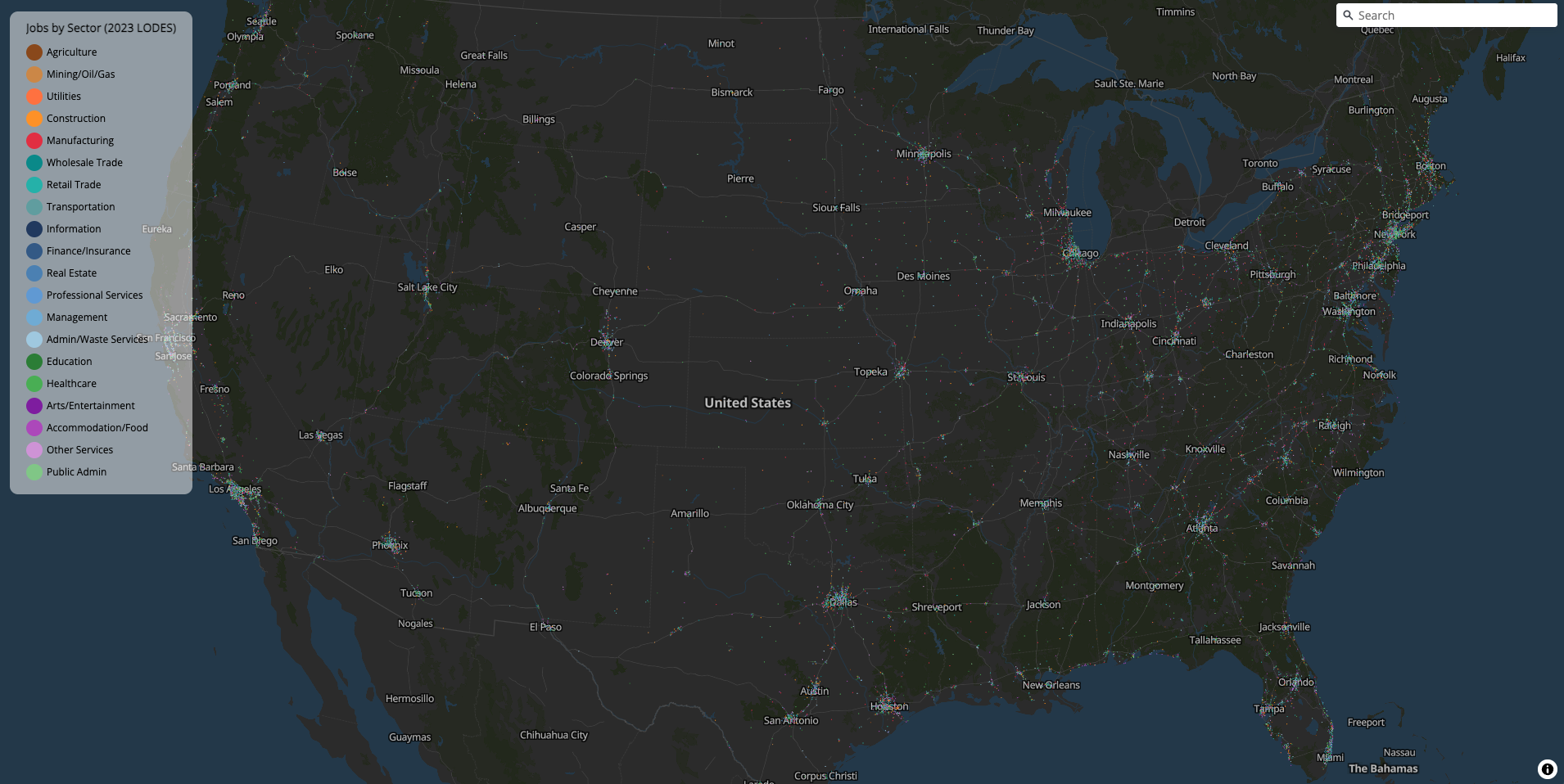
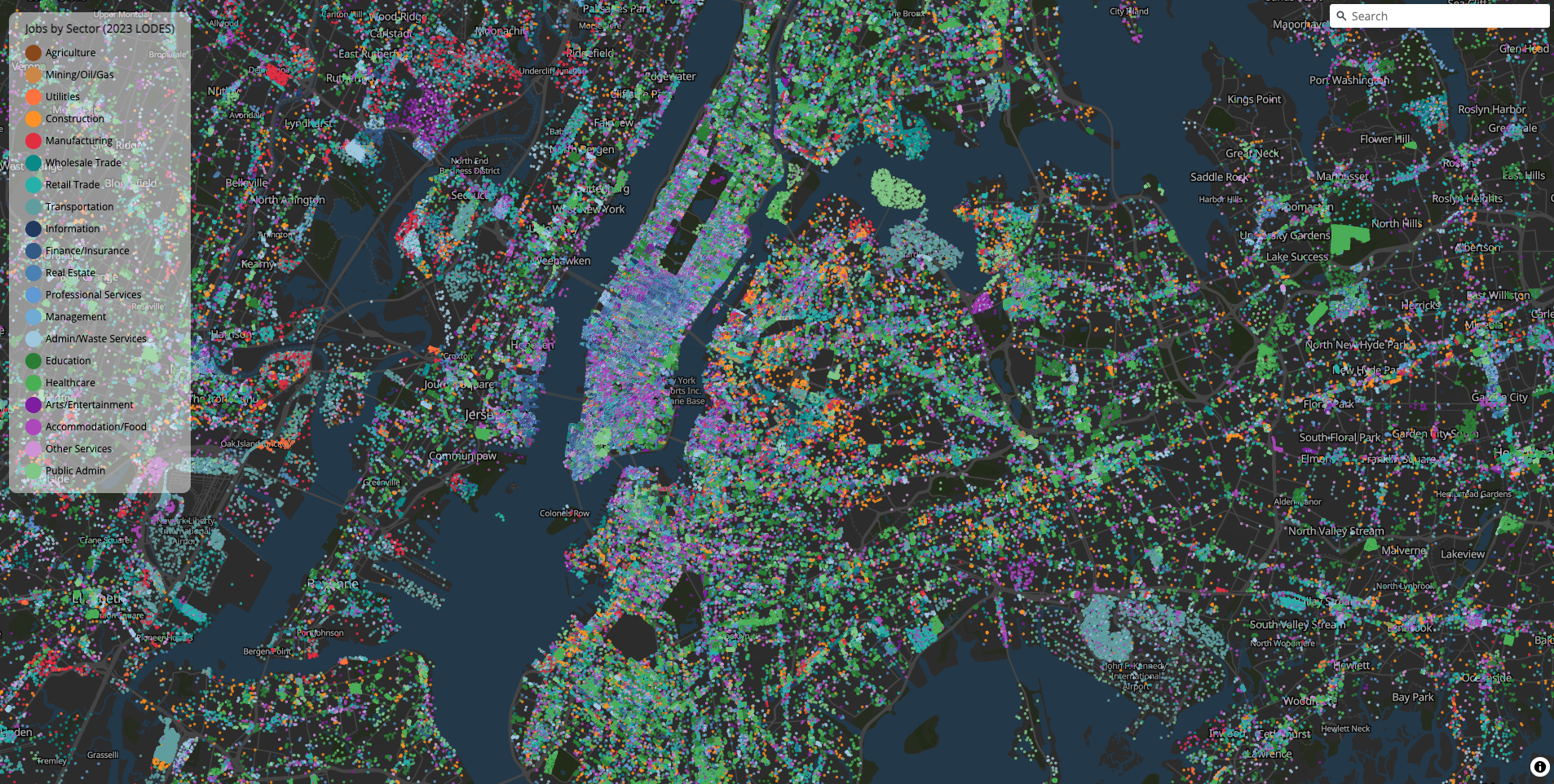
freestile_query(
  query = "SELECT naics, state, ST_Point(lon, lat) AS geometry FROM jobs_dots",
  output = "us_jobs_dots.pmtiles",
  db_path = db_path,
  layer_name = "jobs",
  tile_format = "mvt",
  min_zoom = 4,
  max_zoom = 14,
  base_zoom = 14,
  drop_rate = 2.5,
  source_crs = "EPSG:4326",
  streaming = "always",
  overwrite = TRUE
)
On a recent run, this streamed 146 million US job points from DuckDB into a 2.3 GB PMTiles archive in about 12 minutes.
Planning a large job
Streaming currently supports POINT queries without clustering. Line and polygon inputs still need memory for the decoded geometries, even though encoded tiles are written to a temporary file as they are produced. Categorical clustering keeps its global point index in memory, and H3 binning keeps the output hexagons in memory.
Leave space for both temporary files and the final PMTiles archive. Streaming also writes point partitions and may spill DuckDB work to disk, so temporary storage can be substantially larger than the finished map. Select only the attributes you need in the query.
For streaming jobs, these environment variables can help:
| Variable | Purpose |
|---|---|
FREESTILER_TEMP_DIR |
Put temporary partitions and DuckDB spill files on a disk with enough space. |
FREESTILER_DUCKDB_MEMORY |
Set DuckDB’s memory limit, such as 4GB. This is not a limit on the whole process. |
FREESTILER_STREAM_WORKERS |
Number of partitions tiled at once; defaults to 1. More workers need more memory. |
The output file is replaced only after a successful build. If a dense tile exceeds a memory budget, try drop_rate or a higher min_zoom before increasing the budget.
Multi-layer tilesets
Pass a named list to create multi-layer tilesets. Use freestile_layer() if you want per-layer zoom control:
pts <- st_centroid(nc)

freestile(
  list(
    counties = freestile_layer(nc, min_zoom = 0, max_zoom = 10),
    centroids = freestile_layer(pts, min_zoom = 6, max_zoom = 14)
  ),
  "nc_layers.pmtiles"
)
Point clustering
For point layers, cluster_distance merges nearby points into clusters with a point_count attribute:
freestile(pts, "nc_clustered.pmtiles",
  layer_name = "centroids",
  cluster_distance = 50,
  cluster_maxzoom = 8
)
In the development version, freestile() also accepts category and category_values directly for a POINT sf object, with no GeoParquet or DuckDB requirement. See Point clustering for a complete example that reads power plants into sf (or a GeoDataFrame in Python), builds one archive, and displays donut clusters with mapgl. Released 0.3.0 supports categorical clustering through freestile_file().
Feature coalescing
The coalesce parameter merges features with identical attributes within each tile. Lines sharing endpoints are joined, and polygons are grouped into MultiPolygons:
freestile(nc, "nc_coalesced.pmtiles",
  layer_name = "counties",
  coalesce = TRUE
)